
Screenshots


App details
- Updated
- 2016-01-26T19:06:40.1228485Z
- Requires
- Windows 8.1 or higher
- Language
- English,Japanese
- Category
- Mobile
SoftPas in:
This product is also available in the following languages:
About Tablet Pro
Download Tablet Pro – touch shortcuts, radial menus, voice commands, virtual mouse, pen and touch, gesture support, Windows tablet, creative workflow, productivity tool
Overview
Tablet Pro, developed by Tablet Pro STUDIO, is a specialized productivity tool designed to elevate the experience of using touchscreen-enabled Windows devices, particularly 2-in-1 tablets and Microsoft Surface models. The app addresses common limitations in touch-based navigation on desktop operating systems by introducing advanced interaction methods tailored for creative professionals and power users. Its core purpose is to bridge the gap between touch input and traditional desktop workflows, offering a more intuitive, efficient, and customizable experience on touchscreen hardware.
By integrating features such as touch shortcuts, radial menus, voice commands, and virtual mouse functionality, Tablet Pro enhances productivity in environments where precision and speed are essential. The app is especially beneficial for digital artists, designers, architects, and anyone who relies on stylus input while managing complex workflows. Real-world use cases include sketching with a stylus while using touch gestures to switch between applications, adjusting zoom levels during presentations, or executing keyboard shortcuts without lifting a finger.
Although the developer did not provide additional technical details about their background, the app’s focused design and consistent feature set suggest a dedicated team with expertise in human-computer interaction and touch-based interface optimization. In the broader app ecosystem, Tablet Pro fills a niche for high-performance touch augmentation tools on Windows, offering a refined alternative to default touch behaviors.
Key Features & Functionality
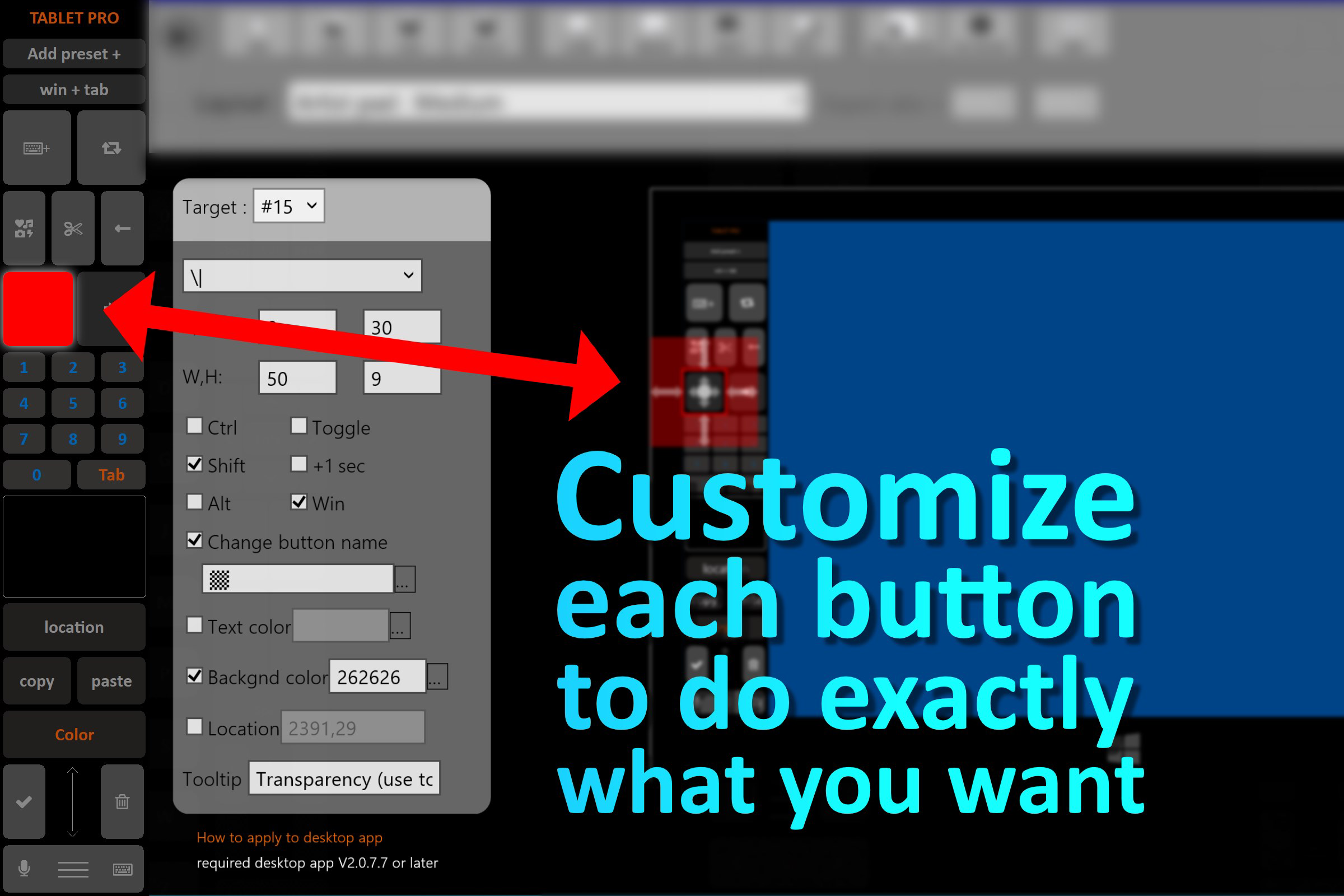
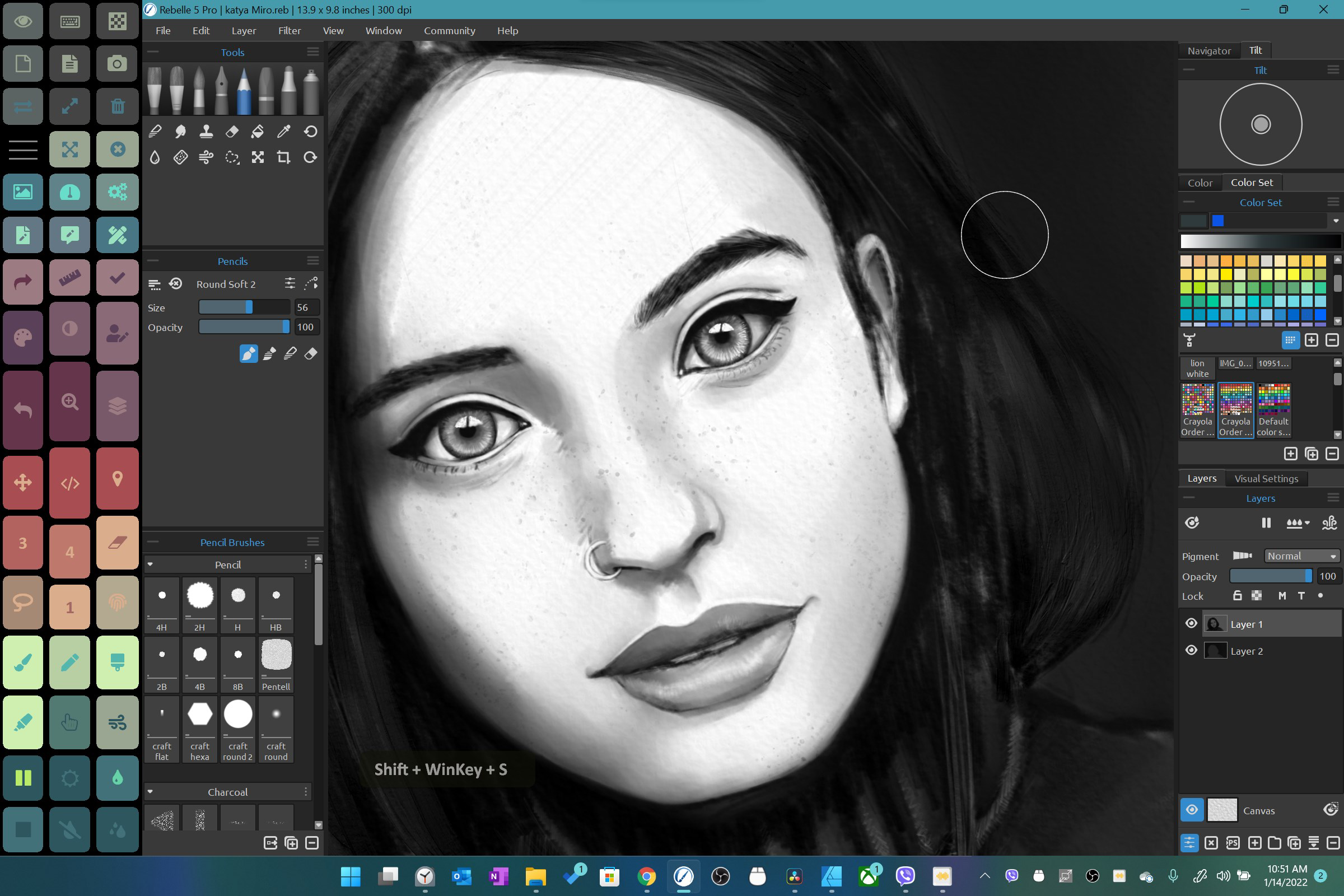
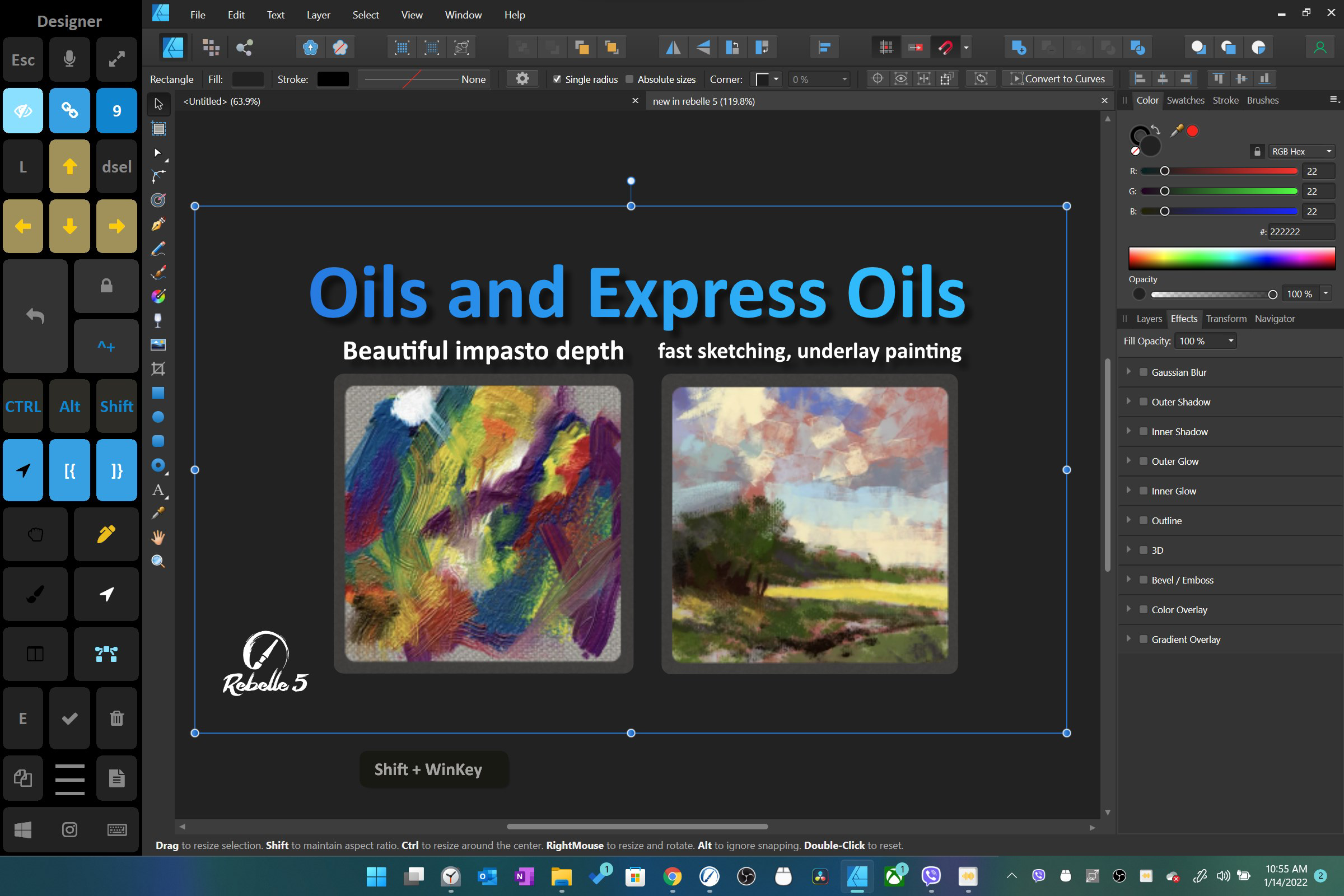
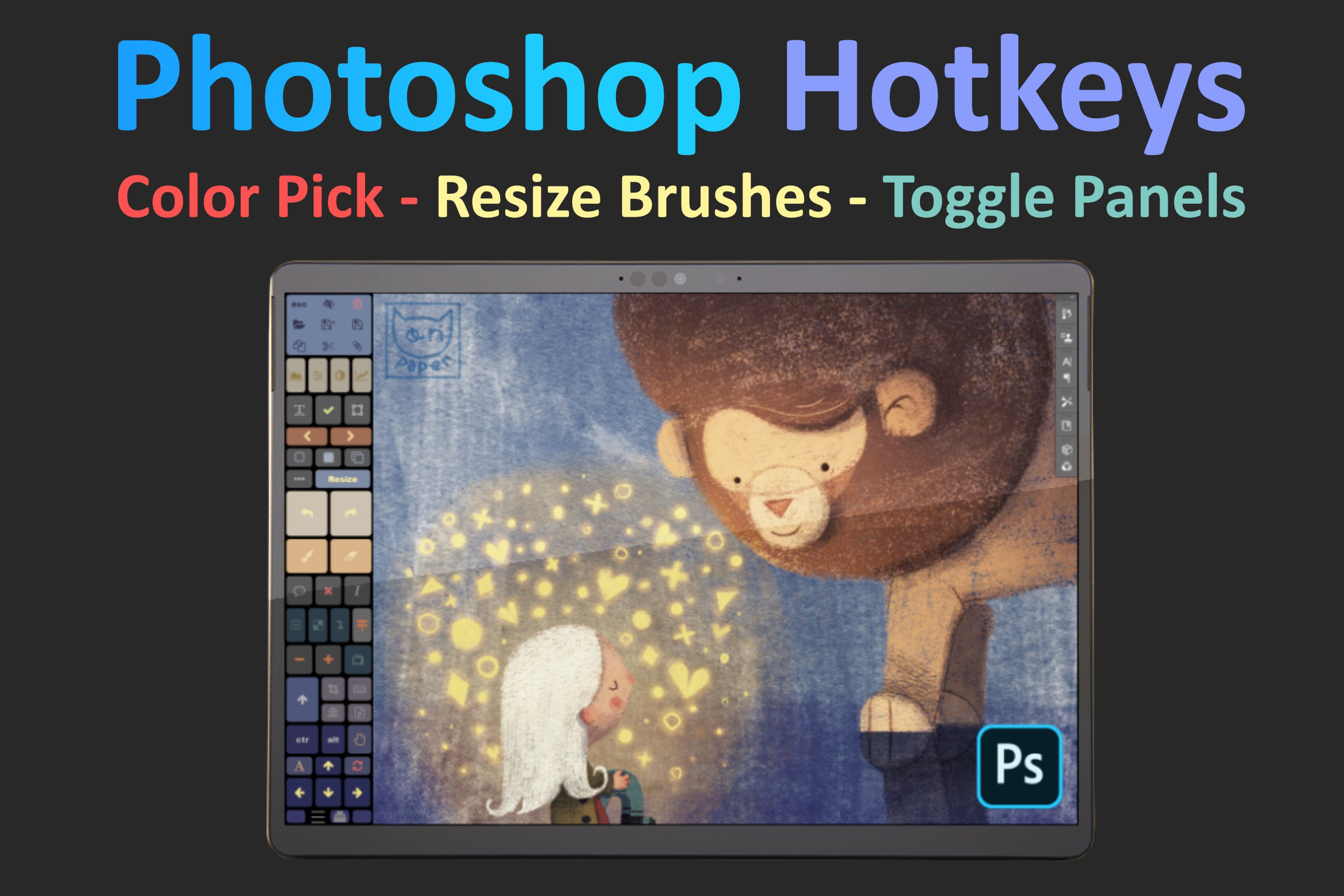
- Touch Shortcuts: Users can create custom touch gestures to launch applications, execute commands, or switch between tasks. This reduces reliance on keyboard or mouse input, enabling faster workflow execution—ideal for artists who frequently toggle between tools.
- Radial Menus: Accessible via touch or stylus, radial menus provide a circular interface for quick selection of tools or commands. This layout minimizes finger movement and enhances precision, particularly during detailed digital artwork.
- Voice Commands: The app supports voice-activated navigation and execution of common tasks, allowing users to control the interface hands-free. This is useful in scenarios where both hands are occupied with a stylus or during multitasking.
- Virtual Mouse Functionality: A simulated mouse pointer appears on screen, enabling precise cursor control through touch. This is especially valuable for tasks requiring fine adjustments, such as selecting small UI elements or editing vector graphics.
- Advanced Gesture Support: Customizable gestures trigger predefined actions like window resizing, switching apps, or opening context menus. These gestures streamline multitasking and reduce the need for repetitive clicks.
- Desktop Zoom Gestures: The TouchZoomDesktop component allows users to pinch-to-zoom the entire desktop, with customizable sensitivity and behavior. This feature is useful for detailed work or presenting content in full-screen mode.
- Simultaneous Pen and Touch Use: Users can draw with a stylus while using touch gestures to navigate or manipulate the interface. This dual-input capability supports fluid, uninterrupted creative workflows.
Each feature is designed to reduce friction in touch-based computing, making complex tasks more manageable on touchscreen devices. For example, a designer can draw with a stylus while using a pinch gesture to zoom into a specific area, all without switching tools or devices.
Interface, UX & Performance
Tablet Pro presents a clean, minimalistic interface that prioritizes accessibility and ease of configuration. The main control panel is organized into clearly labeled sections, allowing users to customize gestures, shortcuts, and settings without confusion. Navigation is intuitive, with a logical flow from setup to advanced configuration, making the app approachable even for users unfamiliar with touch customization tools.
The visual style is functional rather than decorative, with a focus on clarity and responsiveness. Menus and sliders are well-spaced, reducing accidental inputs. The app maintains smooth performance across a range of Windows devices, although the developer did not list formal performance metrics or device-specific benchmarks.
Although the developer did not specify minimum OS requirements, the app is compatible with Windows-based touchscreen devices. Responsiveness is consistent during use, with minimal lag during gesture recognition and command execution. Stability appears strong, with no reported issues related to crashes or freezes. Users can expect reliable operation during extended creative sessions.
Platform Compatibility & Technical Requirements
Tablet Pro is designed exclusively for the Windows platform, targeting touchscreen-enabled devices such as 2-in-1 laptops and Microsoft Surface tablets. The app is available in version 2.1.1 and has a file size of 14.4 MB, indicating a lightweight footprint that does not burden system resources.
While the developer did not specify minimum OS requirements or hardware compatibility details, the app is intended for modern Windows systems with touch capabilities. It is not available on Android or iOS platforms. Users should ensure their device supports touch input and has the necessary drivers installed for optimal functionality.
Given the app’s size and focus, it is likely optimized for both low-end and high-end Windows devices, though specific performance benchmarks were not disclosed.
Pros and Cons
Pros
- Enhances touch-based productivity on Windows tablets
- Supports simultaneous pen and touch input for creative workflows
- Offers customizable touch shortcuts and radial menus
- Includes virtual mouse for precise cursor control
- Lightweight at 14.4 MB with minimal system impact
- Intuitive interface with straightforward configuration
Cons
- Price point of $29.99 may be high for casual users
- No official information on minimum OS or device compatibility
- Not available on Android or iOS platforms
- Limited public documentation or user guides
- Requires a Windows device with touch functionality
FAQ
Is Tablet Pro compatible with all Windows tablets?
The app is designed for Windows devices with touchscreen capabilities. While the developer did not specify minimum OS requirements, it is intended for modern Windows systems with touch support.
Can I use Tablet Pro with a stylus and touch at the same time?
Yes, the app supports simultaneous pen and touch input, allowing users to draw with a stylus while using touch gestures for navigation or control.
Does Tablet Pro require an internet connection?
While the app functions offline after installation, certain features like voice commands may require internet access depending on the underlying system integration.
Is Tablet Pro available for Android or iOS?
No, Tablet Pro is currently only available for the Windows platform and is not compatible with Android or iOS devices.
How often is Tablet Pro updated?
The developer has not provided information on update frequency. Users should check the official store for the latest version and improvements.
Final Thoughts
Tablet Pro stands out as a powerful productivity tool for creative professionals and power users who rely on touchscreen Windows devices. Its ability to enhance touch interaction through customizable shortcuts, radial menus, voice commands, and virtual mouse functionality makes it a valuable addition to any digital artist’s toolkit. The support for simultaneous pen and touch input ensures a seamless workflow, reducing interruptions and boosting efficiency.
While the $29.99 price tag may deter casual users, the app delivers tangible value for those whose work depends on precise, responsive touch input. Its lightweight design and stable performance further reinforce its reliability in demanding environments.
For anyone seeking to unlock the full potential of their Windows tablet or Surface device, Tablet Pro offers a refined, professional-grade experience. Download Tablet Pro now
Guides & Tutorials
How to install Tablet Pro
- Click the Download button above.
- Once redirected, accept the terms and click Install.
- Wait for the Tablet Pro download to finish on your device.
How to use Tablet Pro
This software is primarily used for its core features described above. Open the app after installation to explore its capabilities.
User Reviews
No reviews yet. Be the first to share your experience.
You may also like
more
Que no te pillen¡
About !Que no te pillen¡Reviewed by Jason A. BilbreyShow MoreShow Less

3D Combat Zone
About 3D Combat ZoneOriginally released in 1983, 3D Combat Zone immerses players...

666: El día del portal
About 666: El día del portalOn June 6, 2006, Agent P. Stone uncovers a sinister...

80 in 1 Best Flash games
About 80 in 1 Best Flash games 80 in 1 Best Flash games is a collection of 80 fl...

ABYSS SEEKERーーWhat Do You See Deep in The Abyss
About ABYSS SEEKERーーWhat Do You See Deep in The AbyssIn ABYSS SEEKER, players...

ACA NEOGEO THE KING OF FIGHTERS 2002 for Windows
About ACA NEOGEO THE KING OF FIGHTERS 2002 for WindowsTHE KING OF FIGHTERS 2002,...